Set up Android Environment with Android studio
Note
Prerequisite: Android Studio installed on your PC.
Your can download Android studio in https://developer.android.com/studio.
Tip
Kea relies on adb cmd to interact with android devices. The key is to make the ADB(Android Debug Bridge) cmd available.
The following tutorial will help you setup the whole suite of Android sdk tools. But remember, add the adb cmd to path is enough for kea.
1. Set up cmdline tools (adb)
MacOS and Linux
With Andorid Studio installed on your PC. What you need to do is export the PATH variables to make them available in terminal.
See Android studio doc: Environment variables for details.
If you’re using zsh, bash. Setup the ANDROID_HOME environment with EXPORT cmd. The ANDROID_HOME
environment should refer to your sdk installation path. The default path is /usr/Library/Android/sdk/. You
can check your installation path in Android Studio via Android Studio -> Settings -> Language & Frameworks -> Android SDK
In this window, checkout SDK Tools, install Android SDK Platform Tools.

The sample of Android sdk path in Android Studio
Then, add the path in the .bashrc or .zshrc file.
export ANDROID_HOME="/usr/.../Library/Android/sdk/"
# Export all the cmd in the library.
export PATH="$ANDROID_HOME/emulator:$ANDROID_HOME/tools:$ANDROID_HOME/cmdline-tools/latest/bin:$ANDROID_HOME/tools/bin:$ANDROID_HOME/cmdline-tools/latest:$ANDROID_HOME/platform-tools:$PATH"
source the file to activate the modification.
Important
Enter adb in your terminal to check if the setup succeed.
Windows
With Andorid Studio installed on your PC. What you need to do is export the PATH variables to make them available in terminal.
If you’re using zsh, bash. Setup the ANDROID_HOME environment with EXPORT cmd. The ANDROID_HOME
environment should refer to your sdk installation path. The default path is C:\Users\usr_name\AppData\Local\Android\Sdk. You
can check your installation path in Android Studio via File -> Settings -> Language & Frameworks -> Android SDK
In this window, checkout SDK Tools, install Android SDK Platform Tools.

The sample of Android sdk path in Android Studio
Then, add the following path to PATH var. See How to Add to Windows PATH Environment Variable.
ANDROID_HOME:
C:\Users\usr_name\AppData\Local\Android\Sdk

PATH:
%ANDROID_HOME%\platform-tools
%ANDROID_HOME%\emulator
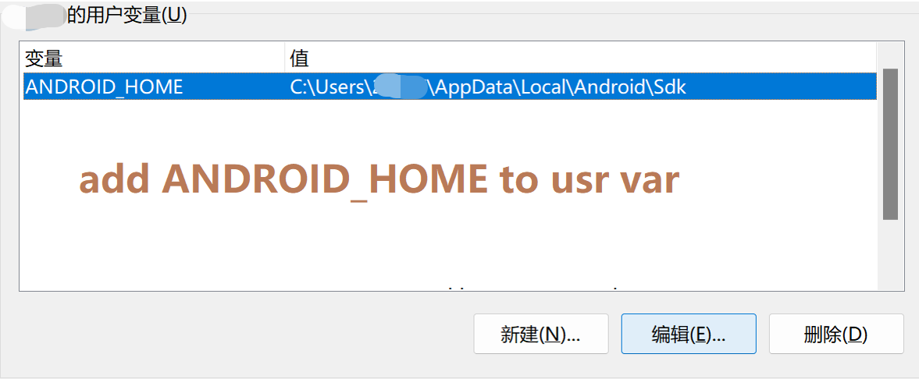
Add ANDROID_HOME to usr var
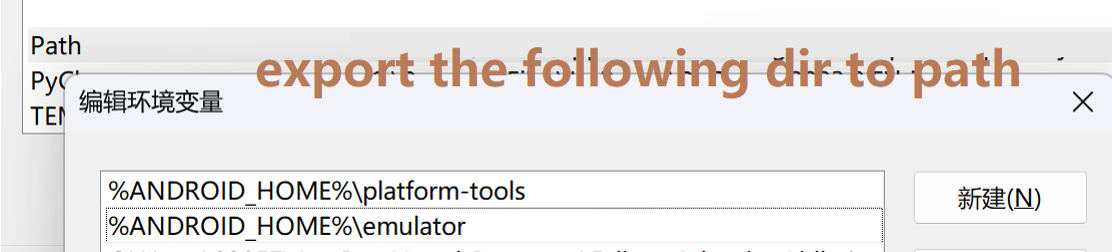
Add required tools to path var
Important
Enter adb in your terminal to check if the setup succeed.
2. Run the emulator
Run an Android emulator through Android Studio. Follow the following tutorial to create and run an emulator.
Andorid Studio docs - Create and Manage Virtual Devices
Important
Run adb devices in your terminal. You should see your emulator listed like emulator-5554.
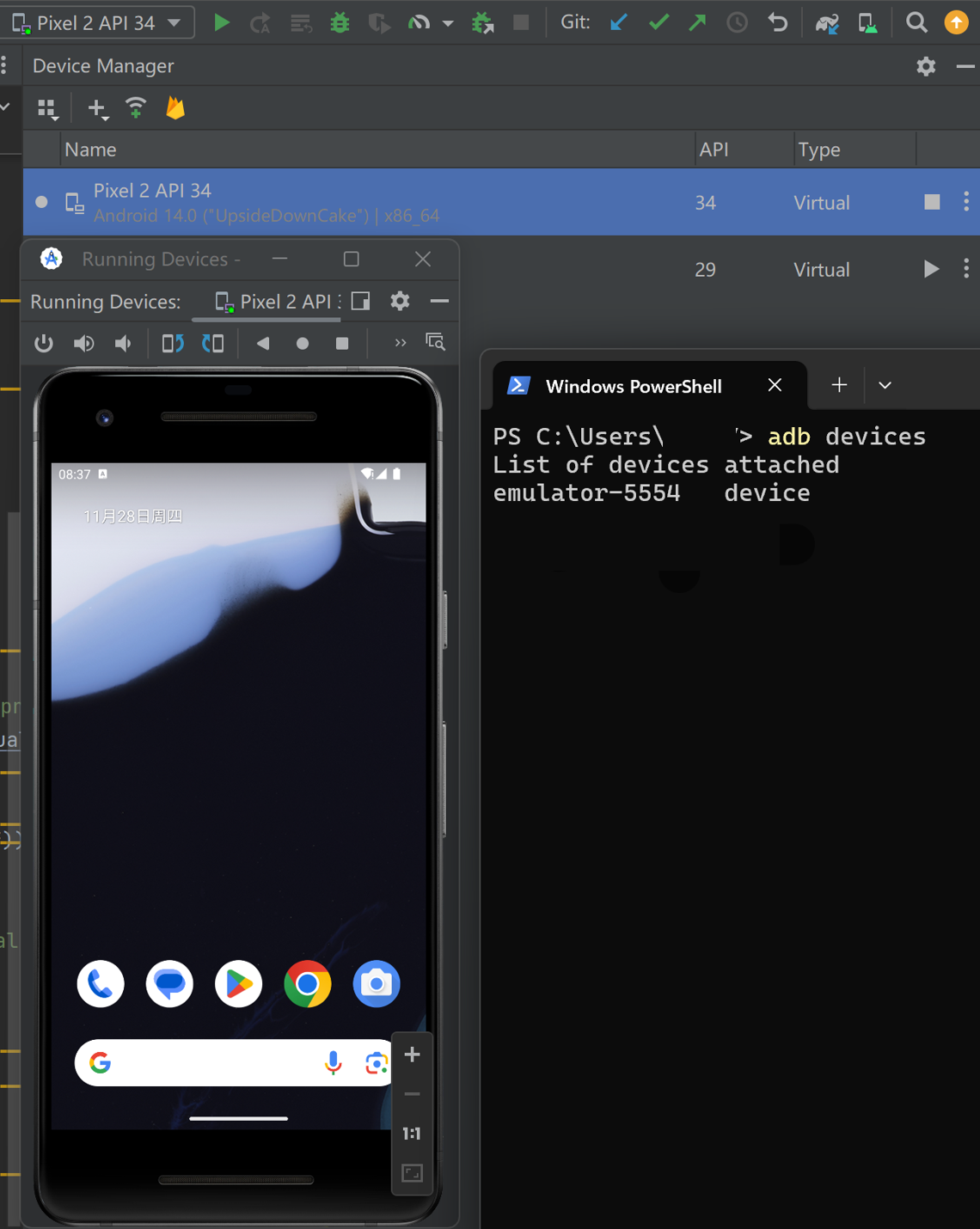
You should see this scene if the setup succeed